> For the complete documentation index, see [llms.txt](https://docs.sol-incinerator.com/llms.txt). Markdown versions of documentation pages are available by appending `.md` to page URLs; this page is available as [Markdown](https://docs.sol-incinerator.com/tool-guide/incinerator/pro-mode/cleanup.md).
# Cleanup
Learn how to close unused token accounts to recover SOL and clean up your wallet.
## Cleanup FAQ
What does cleanup do?
Cleanup helps you reclaim SOL by identifying and closing unused token accounts freeing up storage rent.
Is cleanup safe?
Cleanup is 100% safe to use. It does not burn any items. Closing token accounts is a reversible operation, and resizing NFTs is sanctioned by Metaplex.
What are vacant accounts?
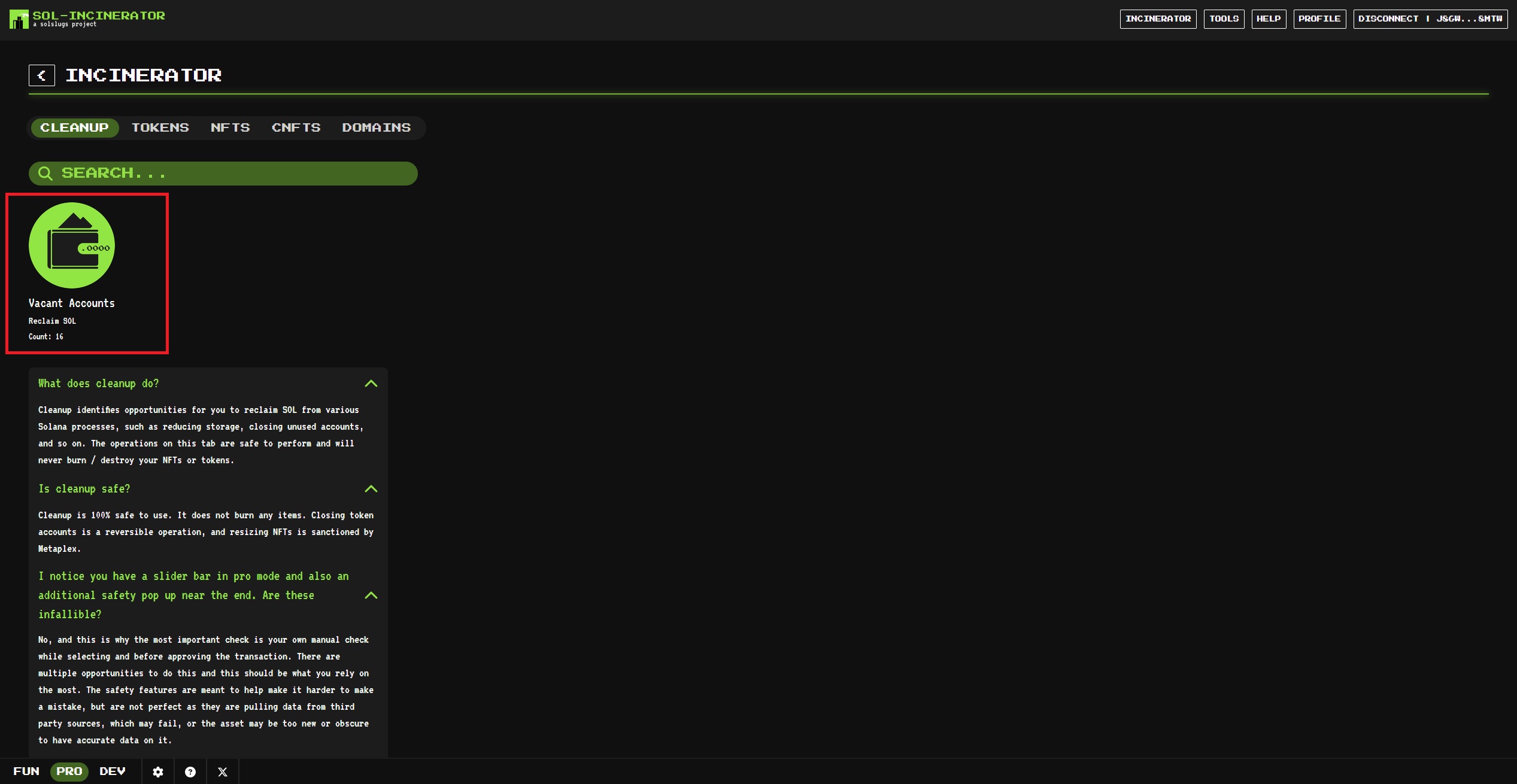
When purchasing tokens, NFTs, or other assets, you need to create an account for the item to live in. Once this NFT or token has been sold, transferred, and so on, this storage is left unused, and can be reclaimed. This does not burn any of your assets, and is a reversible process. It will not invalidate any airdrops.
## How to Use Cleanup
***
{% stepper %}
{% step %}
### Connect Wallet
See [Connecting Your Wallet](/tool-guide/connecting-your-wallet.md) for instructions.
{% endstep %}
{% step %}
### Select Vacant Accounts
If your wallet has Vacant Accounts, you’ll see the **Vacant Accounts** icon with the number of accounts available to close.
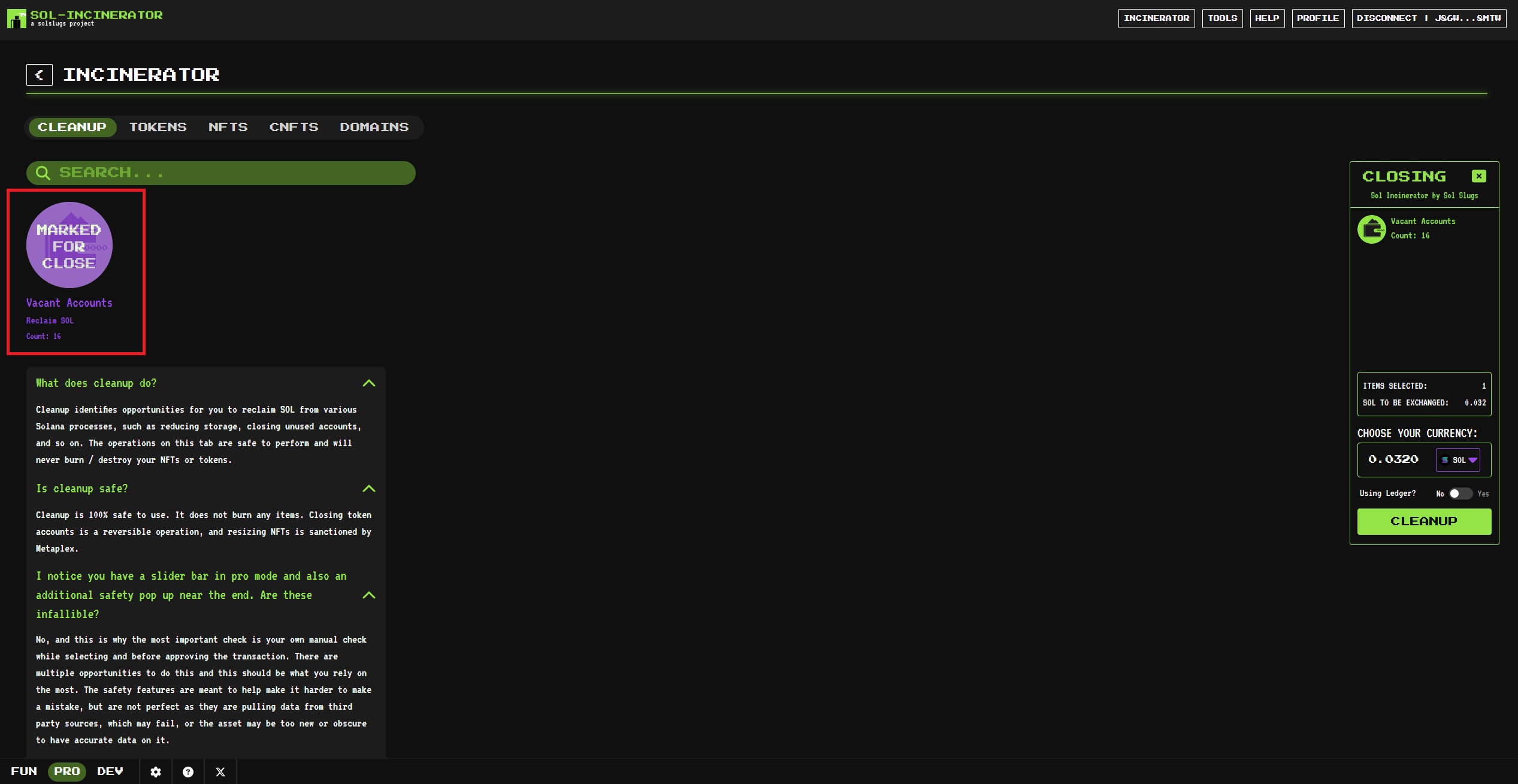
Click the icon — it will highlight as **Marked for Close**.
{% endstep %}
{% step %}
### Click Cleanup
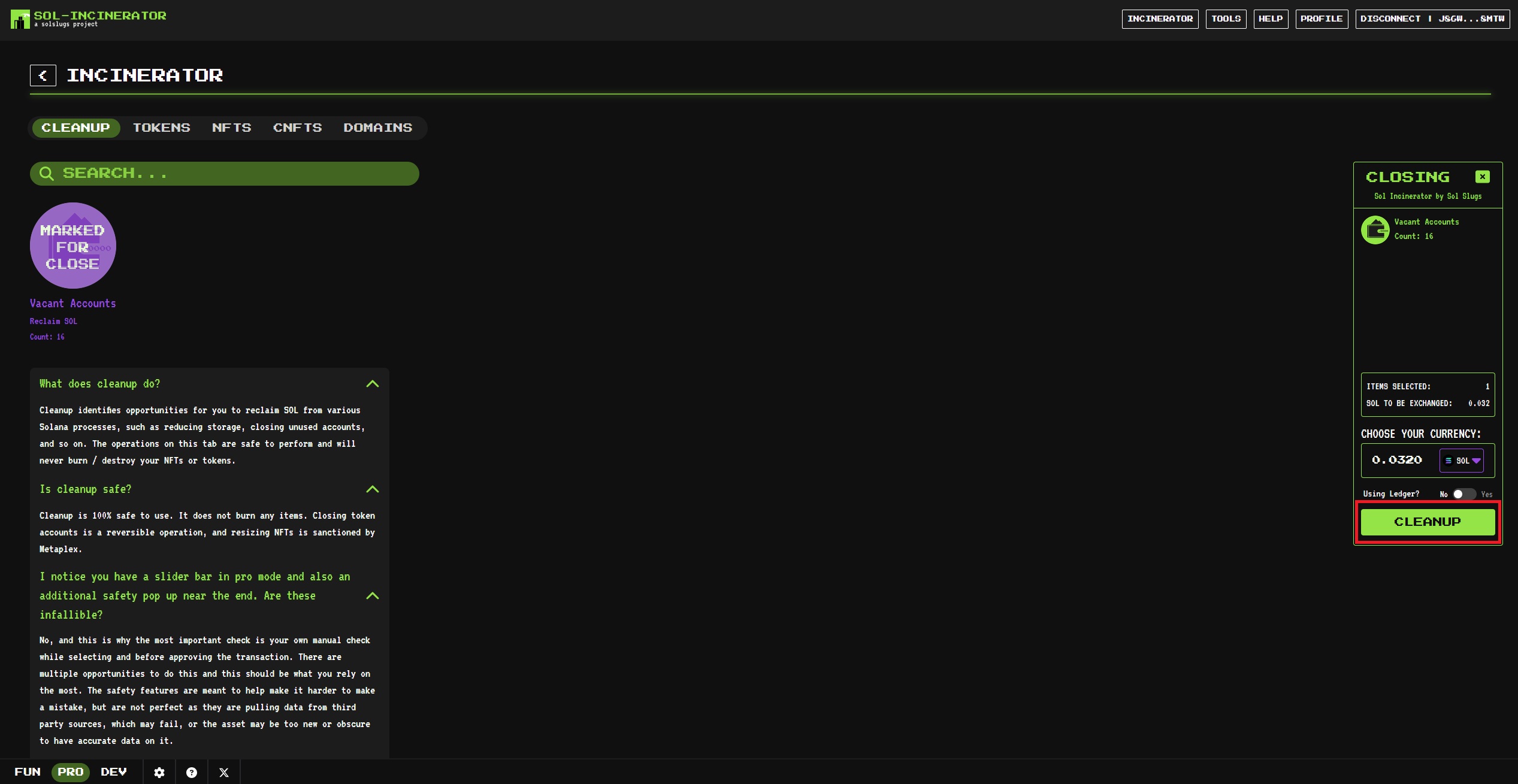
Click the **Cleanup** button on the right side of the screen, as shown below.
{% hint style="info" %}
**Using a Ledger?** Enable the Ledger toggle.\
You can also optionally swap reclaimed SOL for another currency here.
{% endhint %}
{% endstep %}
{% step %}
### Confirm Transaction
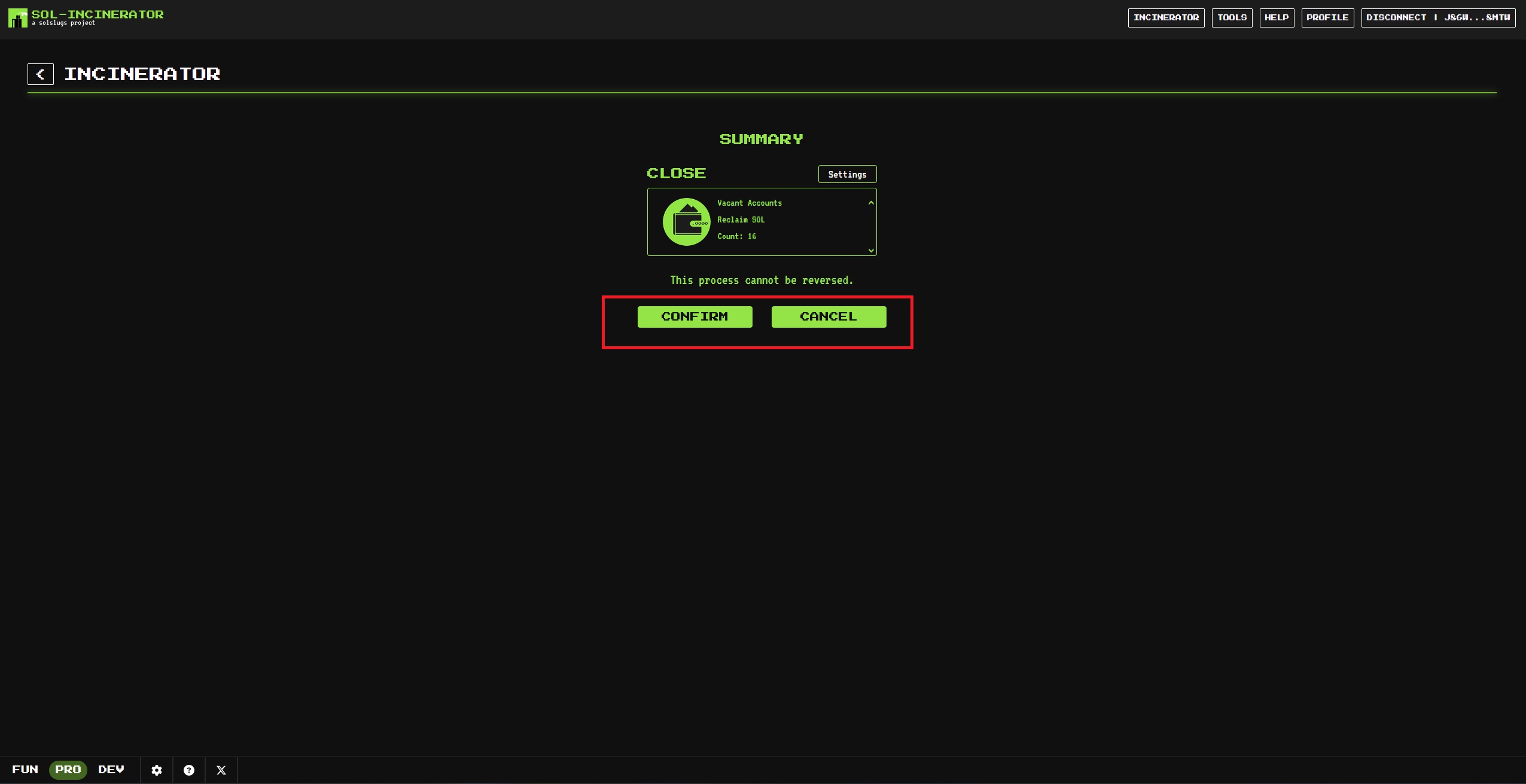
If you’re ready, click **Confirm** to close your Vacant Accounts and recover your SOL.
{% endstep %}
{% step %}
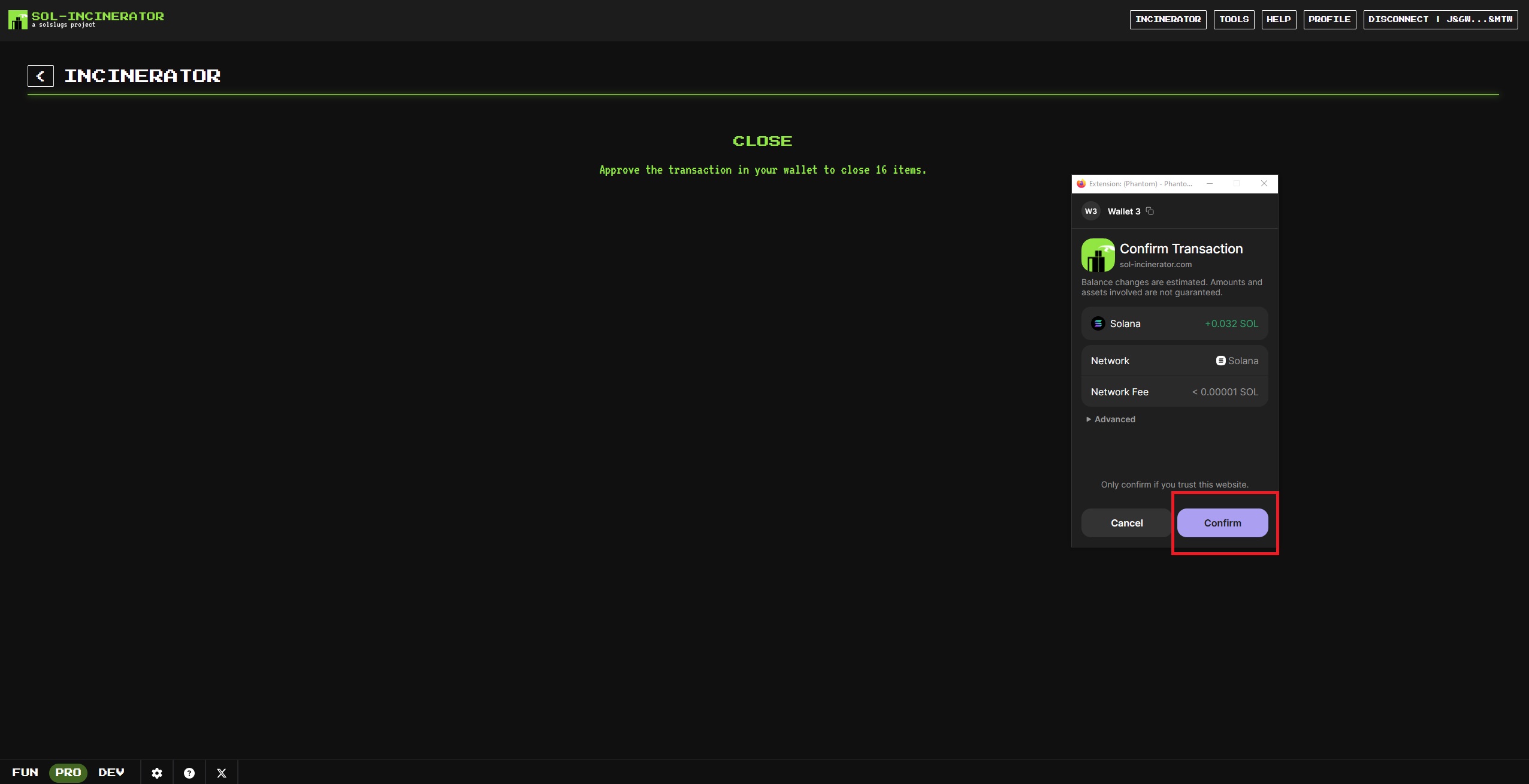
### Sign Transaction
Sign and confirm your transaction by clicking **Confirm**.
{% hint style="info" %}
The confirm transaction screen may appear differently due to using a different wallet.
{% endhint %}
{% endstep %}
{% step %}
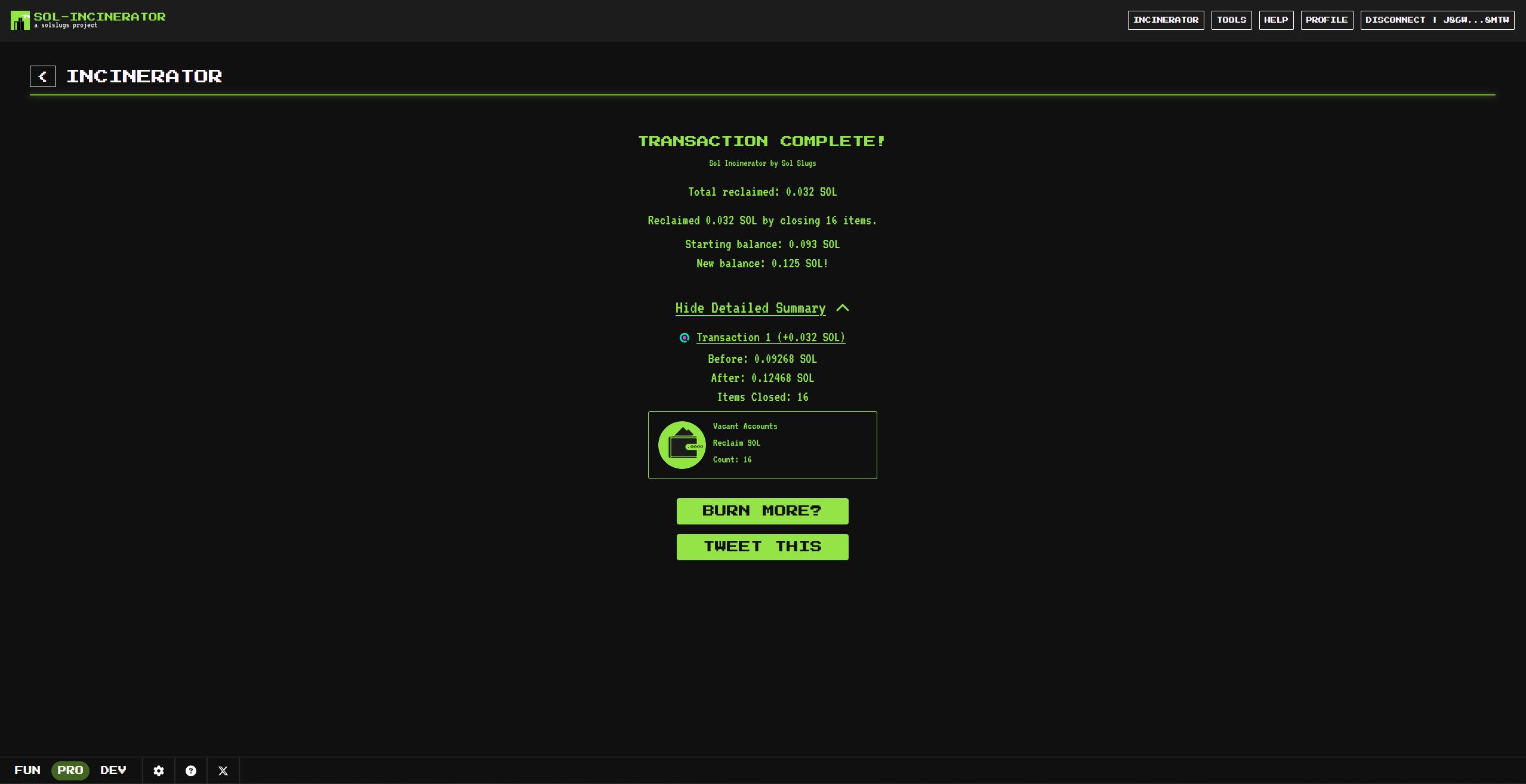
### Success Confirmation
🧹 Cleanup complete. Accounts closed, SOL reclaimed.
Want to flex it? Hit **Tweet This**.
{% endstep %}
{% endstepper %}
---
# Agent Instructions
This documentation is published with GitBook. GitBook is the documentation platform designed so that both humans and AI agents can read, navigate, and reason over technical content effectively. Learn more at gitbook.com.
## Querying This Documentation
If you need additional information that is not directly available in this page, you can query the documentation dynamically by asking a question.
Perform an HTTP GET request on the current page URL with the `ask` query parameter, and the optional `goal` query parameter:
```
GET https://docs.sol-incinerator.com/tool-guide/incinerator/pro-mode/cleanup.md?ask=&goal=
```
`ask` is the immediate question: it should be specific, self-contained, and written in natural language.
`goal` is optional and describes the broader end goal you are ultimately trying to accomplish on behalf of the user. GitBook uses it to tailor the answer towards what is most useful for that goal.
The response will contain a direct answer to the question and relevant excerpts and sources from the documentation.
Use this mechanism when the answer is not explicitly present in the current page, you need clarification or additional context, or you want to retrieve related documentation sections.